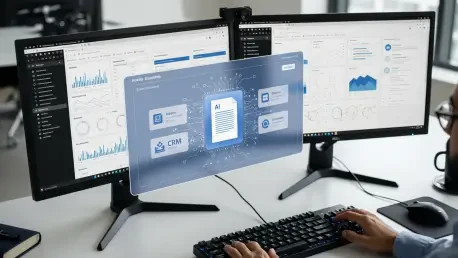

Vijay Raina, our SaaS and software expert, joins us to discuss the transformative shift in how enterprise teams interact with the web browser. With deep experience in software design and architecture, Vijay provides a unique perspective on the recent evolution of Chrome into an agentic AI co-worker. This conversation explores the shift from manual browsing to automated “auto browse” capabilities, the security implications of “Shadow IT” generative AI, and the organizational impact of custom “Skills” that bridge the gap between static documents and dynamic CRM systems.
How does allowing a browser to analyze live context across multiple tabs fundamentally change daily administrative workflows? Could you explain the specific steps a user takes to move data from a document to a CRM, and what metrics define success for these automated tasks?
The move toward an agentic browser marks a departure from the “copy-paste” era that has defined office work for decades. Instead of a user manually toggling between tabs, the “auto browse” feature allows Gemini to understand the live context of everything currently open, essentially acting as a digital bridge. To move data, a user might have a Google Doc open with contract details and their CRM in another tab; they simply prompt the AI to input the information, and the system maps the text fields to the database automatically. Success isn’t just measured by the raw speed of the transfer, but by the reduction in “tedious” manual errors that usually occur during high-volume data entry. By automating these inputs, the workflow shifts from a series of clicks to a single high-level oversight action, fundamentally changing the sensory experience of administrative labor.
Organizations often implement a “human in the loop” requirement to ensure accuracy in automated workflows. How can managers enforce this review process without creating new bottlenecks, and what strategies ensure that saved time is actually redirected toward more strategic, high-level objectives?
Enforcing a “human in the loop” model is critical because it ensures that while the AI does the heavy lifting, the final accountability remains with the employee. In practice, this means the user must manually review and confirm every piece of data the AI suggests before any final action—like booking travel or updating a meeting schedule—takes place. Managers can prevent bottlenecks by integrating these reviews directly into the existing browser interface, so it feels like a quick verification rather than a separate chore. The real challenge, however, is avoiding “work intensification,” where the saved time is simply filled with more low-level tasks rather than the promised “strategic work.” Organizations must be intentional about setting new benchmarks that prioritize creative problem-solving and long-term planning over sheer output volume.
When employees begin saving custom workflows or “Skills” accessible via keyboard shortcuts, how does this affect cross-departmental standardization? Can you walk through the process of building a reusable Skill for comparing vendor pricing and explain how teams should maintain these automated routines?
Custom “Skills” turn individual productivity hacks into standardized assets that can be accessed by typing a forward slash (“/”) or clicking a plus sign within the browser. To build a Skill for comparing vendor pricing, a user would first demonstrate the process of pulling key data points from various competitor product pages and summarizing them in a comparison sheet. Once saved, this routine becomes a reusable “Skill” that anyone on the procurement team can trigger, ensuring that every vendor evaluation follows the same rigorous data-gathering protocol. Maintaining these routines requires IT teams to use the new Chrome Enterprise tools to monitor which Skills are most effective and which might need updating as web interfaces change. This democratization of automation allows departments to move in sync, reducing the friction that usually occurs when different team members use disparate tools or methods.
IT departments are increasingly monitoring for “anomalous agent activity” and unsanctioned browser extensions. What are the primary security risks of employees using “Shadow IT” generative AI tools, and how do integrations with identity platforms help prevent session hijacking during these automated browsing sessions?
The primary risk of “Shadow IT” is the lack of visibility; when employees use unsanctioned AI tools, sensitive corporate data can leak into public models or be exposed through compromised browser extensions. Google’s “Shadow IT risk detection” is a response to this, giving IT teams a clear view of both sanctioned and unsanctioned SaaS sites being used across the company. To prevent session hijacking—a major threat when AI agents have broad permissions—Chrome is deepening its integration with identity platforms like Okta. These technical measures ensure that even if an agentic process is running, it is tied to a verified user session with strict security controls. By surfacing “anomalous agent activity” via Chrome Enterprise Premium, IT can shut down suspicious behavior before it results in a data breach or unauthorized system access.
Given the sensitivity of corporate data, how does the assurance that prompts will not be used to train AI models influence executive buy-in? What technical measures are necessary to ensure that agentic behavior complies with existing information protection policies while maintaining high performance?
Executive buy-in often hinges on the guarantee that proprietary data remains within the organizational perimeter, which is why the pledge that prompts won’t train AI models is a non-negotiable requirement for enterprise adoption. To maintain high performance without sacrificing security, Google has introduced Microsoft Information Protection (MIP) integration, allowing Chrome to enforce consistent security policies across all data types. This means that even when an AI agent is summarizing a candidate’s portfolio or pulling data from a competitor’s site, it is doing so within a framework that respects existing data labels and permissions. Technical measures like these ensure that agentic behavior doesn’t bypass corporate firewalls or privacy standards. For a CTO, knowing that Gemini provides a “summary” of release notes and policy changes makes it much easier to manage the rollout of these powerful tools across a global workforce.
What is your forecast for the future of agentic browsers in the workplace?
I forecast that the web browser will soon cease to be a passive window and will instead become the primary operating system for corporate intelligence. As AI becomes a standard part of the workflow for Workspace users in the U.S. and eventually worldwide, we will see a massive shift where managers expect significantly more tasks to be completed in much less time. However, the true winners will be the organizations that use this technology to eliminate the “tedious” parts of the day, allowing humans to focus on tasks that require empathy, complex judgment, and genuine innovation. We are entering an era where “anomalous activity” detection and “Shadow IT” monitoring will be just as common as email filters, creating a highly secure, automated environment where the browser does the work, but the human remains the architect.