
The discovery of a significant security flaw in a widely used browser extension serves as a stark reminder of the complex interdependencies that define our modern digital ecosystems and the privacy risks they often entail. Specifically, the Adobe Acrobat extension for Chrome was recently identified as containing a vulnerability, tracked as CVE-2026-48294, which could allow malicious websites to gain unauthorized access to private WhatsApp Web conversations. This intersection of a PDF tool and a messaging platform highlights how vulnerabilities in one application can inadvertently compromise the security of another when they coexist within the same browser. Security researchers noted that the flaw leveraged specific permissions granted to the extension, allowing it to bypass cross-origin protections that usually keep web data isolated. Adobe has released a critical patch, but users must still verify their local software versions to prevent data exposure. Understanding this vulnerability is essential for maintaining robust security in an era where add-ons have deep access to user data.
1. Accessing Extension Management and Identifying Vulnerable Software
To initiate the security audit, the first action required is to enter the internal management interface of the web browser to review all active and inactive software components. One must navigate to the browser’s address bar and input chrome://extensions before pressing enter to load the comprehensive list of installed add-ons. This dashboard serves as the central hub for overseeing the various tools that have been granted permission to interact with web content and browser processes. Once the page is successfully loaded, it is necessary to locate the toggle switch for Developer mode in the upper right-hand corner of the screen and move it to the on position. Enabling this mode is a prerequisite for revealing the granular details of each extension, including the specific version numbers that are otherwise hidden from the standard view. By surfacing this technical metadata, users gain the visibility needed to identify whether the Adobe Acrobat extension is operating on a version that has been patched against the recently discovered vulnerability.
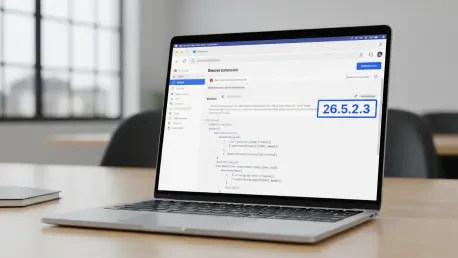
With the detailed information now visible, the next objective is to locate the Adobe Acrobat listing and carefully inspect the version number associated with the current installation. For the browser to be considered secure against the CVE-2026-48294 exploit, the extension must be running version 26.5.2.3 or higher, as any build labeled 26.5.2.2 or older remains susceptible to the flaw that could expose private chat data. This specific check is crucial because automatic updates may not occur instantly across all devices, leaving a potential gap between the release of a security patch and its actual implementation. Manually verifying this number provides a definitive confirmation that the critical fix provided by Adobe has been integrated into the local files. If the displayed version falls below the recommended threshold, it indicates that the system is still at risk and requires immediate intervention. Maintaining awareness of version requirements is a fundamental practice for anyone utilizing third-party extensions that interact with messaging services like WhatsApp Web.
2. Implementing Corrective Updates and Auditing Account Sessions
In instances where the installed software is found to be outdated, a manual update must be triggered to force the download and application of the latest security patches. This process is accomplished by returning to the Chrome menu, selecting the extensions category, and clicking on the manage extensions option to ensure the user is on the correct configuration screen. Once there, the user should select the update button, which is typically found near the top of the interface, to signal the browser to refresh all extensions to their most recent iterations. After the update process finishes, it is essential to completely close and then reopen the Chrome browser to ensure that the new code is correctly loaded into the system’s memory. This restart procedure is a critical step because it clears the active runtime environment of any cached, vulnerable files and ensures that the patched version of the Adobe extension is the one actively protecting the user’s data. Skipping this restart could leave the browser in a hybrid state where the old vulnerability might still be exploitable.
Beyond updating the browser components, proactive measures were taken to secure the WhatsApp account itself by reviewing all active connections through the mobile application. Users navigated to the linked devices section within their WhatsApp settings to audit every computer or browser that currently held a session token for their private messages. By signing out of any unrecognized or unnecessary devices, individuals effectively terminated any unauthorized access points that might have been exploited during the period of vulnerability. Furthermore, the security process concluded with the uninstallation of any browser add-ons that were no longer used or came from untrusted sources. This reduction of the browser’s attack surface was a vital step in preventing future breaches, as each additional extension represented a potential pathway for malicious scripts to circumvent security protocols. These actions ensured that the environment remained hardened against data exfiltration while reinforcing the importance of regular digital hygiene to protect personal communication.