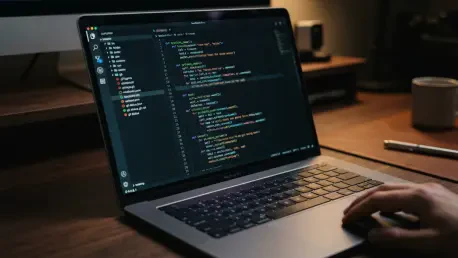

Python developers managing large-scale FastAPI services often rely on VS Code due to its mature remote development and container tooling compared to younger competitors. This preference persists even as the landscape of Integrated Development Environments shifts under the weight of generative AI and local performance optimizations. As of October 2026, the ecosystem is no longer just about text editing; it is about which tool best orchestrates AI agents, manages complex virtual environments, and maintains a low-latency response during deep refactoring tasks. The competition has intensified as Cursor reshuffled its pricing tiers on October 12, introducing “The X Subscription” and decoupling frontier models from its standard pool. Meanwhile, Microsoft has pushed VS Code into a more modern aesthetic with its October 15 interface update, and JetBrains has streamlined the PyCharm experience by merging its Community and Professional foundations into a single unified product. For the individual developer or the enterprise engineering lead, the choice between these four giants—VS Code, PyCharm, Cursor, and Zed—now involves weighing the immediate benefits of agentic automation against long-term cost predictability and the structural integrity of specialized Python tooling.
1. Market Overview: October 2026
The professional Python development market underwent a significant realignment in the final quarter of the year, driven primarily by the shifting economics of artificial intelligence. On October 12, 2026, Cursor fundamentally altered its subscription model, moving new users to “The X Subscription” and replacing its traditional tiers with Plus, Premium, Super, and Ultra levels. This change was not merely cosmetic; it introduced weekly usage resets and separated major models like Claude, GPT, and Gemini into a prepaid credit system for new buyers. This move by Anysphere suggests a transition toward a more sustainable, usage-based model as frontier model costs continue to fluctuate. For developers who had grown accustomed to a flat monthly fee for unlimited AI-assisted coding, this pricing pivot has forced a re-evaluation of which IDE offers the best value proposition for high-volume automated development.
In contrast to the pricing volatility seen in the AI-first editor space, the traditional pillars of the Python ecosystem have focused on structural stability and interface refinement. Microsoft’s VS Code remains the dominant free editor, recently debuting a modernized interface on October 15 that aligns its design language across the main editor and the newly integrated Agents window. Simultaneously, JetBrains has executed a long-planned transition to a unified product model for PyCharm. By folding the older Community functionality into a single product where core features are free and advanced professional tools are gated behind a subscription, JetBrains has lowered the barrier to entry for learners while maintaining a clear path for enterprise users. These moves indicate that while AI capabilities are the current battleground, the fundamental requirements of a reliable, extensible, and accessible development environment remain the core priority for established vendors.
2. Technical Comparison: The Big Four
Comparing the technical specifications of VS Code, PyCharm, Cursor, and Zed reveals that they are diverging into specialized roles rather than competing for a single “one size fits all” title. VS Code and Cursor share a common heritage, as Cursor is a fork of Microsoft’s editor, meaning they both benefit from the massive library of VS Code extensions. However, their internal intelligence engines are starting to differ. Microsoft has focused on the Type Server Protocol and a deepening partnership with Meta to integrate the Pyrefly engine into Pylance, aiming to close the gap in static analysis that historically favored full IDEs. Cursor, meanwhile, has poured its resources into its proprietary Cursor Router and a context-compaction system that allows its agents to handle massive project histories without exceeding model token limits or inflating costs unnecessarily.
The other half of the market consists of PyCharm and Zed, which represent the extremes of the IDE spectrum. PyCharm is the only tool in this group built from the ground up specifically for Python, utilizing a deep inference engine that JetBrains claims is up to 65% more efficient when paired with their new AI agents. This depth allows PyCharm to offer refactoring and inspection capabilities that the extension-based editors struggle to match, particularly in complex frameworks like Django or SQLAlchemy. Zed sits at the opposite end, prioritizing native performance and raw speed. Written in Rust, Zed emphasizes a low-latency “feel” and has recently added its own optional Pyrefly language server to its preview channel. This allows Zed to offer sophisticated type checking without the overhead of a traditional IDE, making it an attractive option for developers who prioritize responsiveness and have moved away from heavy, plugin-laden environments.
3. Developer Adoption Trends
According to recent industry data, developer preferences in 2026 are heavily influenced by the specific demands of the Python language. The 2025 Stack Overflow Developer Survey provided a baseline that showed Visual Studio Code holding a massive 76.2% share among professional developers across all languages. However, Cursor’s rapid ascent to 19.3% in that same segment highlights how quickly AI-native tools are capturing the professional market, particularly where employers are willing to subsidize the cost of advanced agents. Among those learning to code, the numbers are even tighter, with Cursor at 21.8% and PyCharm at 22.6%, suggesting that newcomers are increasingly split between the allure of AI automation and the structured guidance provided by a dedicated Python IDE.
The picture changes significantly when focusing exclusively on the Python ecosystem. The Python Software Foundation and JetBrains reported in their latest survey that PyCharm is the primary editor for 48% of respondents who identify as dedicated Python developers. This disparity between general developer surveys and Python-specific results underscores PyCharm’s stronghold in specialized fields like data science, machine learning, and large-scale web development. While VS Code remains the “default” choice for the average developer due to its versatility, PyCharm maintains its status as the “specialist” choice for those whose entire workflow revolves around the Python stack. Zed remains a smaller but visible fourth option, carving out a niche among performance-focused developers who prefer a more streamlined, native-feeling experience over a feature-rich but slower environment.
4. Measuring Performance Locally
Since vendor-provided benchmarks often reflect idealized conditions, the most reliable way to evaluate an IDE is through local performance testing on a specific codebase. Many developers have found that published numbers regarding binary size or token efficiency do not always correlate with how an editor feels when handling a monorepo with 200,000 lines of code. For instance, while Zed boasts a 33% reduction in binary size on macOS, the real test is how it manages memory during long-running sessions. Similarly, JetBrains’ claim that their Agent Environment Coordinator increases task success from 68% to 98% is a significant vendor metric, but it requires verification against your own project’s unique environment configurations and dependency graphs.
To obtain an objective comparison, developers should execute a standardized benchmarking script that measures both execution time and resource consumption. The following process provides a consistent framework: first, define the environment by specifying the project directory and the editor’s process identifier. Second, execute a series of type-check tests, running the timing command three times to calculate an average speed using the chosen type engine, such as Pyrefly or Pylance. Finally, monitor the total memory usage, specifically the Resident Set Size (RSS), after the editor has finished indexing the project and the background agents have stabilized. This five-minute test offers a more accurate picture of an IDE’s performance on your hardware than any marketing chart, revealing how different tools handle the specific technical debt and complexity of your repository.
5. Visual Studio Code: The Industry Standard
Visual Studio Code has maintained its position as the industry standard by offering a zero-cost entry point and an unparalleled ecosystem of extensions. Microsoft’s strategy has been to keep the core editor free and cross-platform while offering advanced AI capabilities through GitHub Copilot as a separate, optional subscription. This distinction is crucial for many teams who want a standardized editor but have varying requirements for AI assistance. The recent introduction of the Copilot Free plan, which includes limited monthly completions and chat responses, has further solidified this “freemium” model, allowing developers to test AI-assisted workflows without an immediate financial commitment.
In terms of Python-specific functionality, the integration of Pylance and the ongoing work on the Type Server Protocol have significantly improved the editor’s intelligence. The October 21 announcement of a partnership with Meta to bring Pyrefly support to VS Code represents a major step forward in static analysis, potentially leveling the playing field with full IDEs. Additionally, the 2026 UI redesign has introduced a more cohesive experience, featuring new “Dark 2026” and “Light 2026” themes and a first-class Agents window that makes AI interactions feel integrated rather than bolted on. Despite these improvements, VS Code still faces challenges with “extension drift,” where different team members end up with varying editor behaviors due to different plugin versions, and it remains slightly less robust in complex refactoring scenarios than its specialized competitors.
6. PyCharm: The Specialized Powerhouse
PyCharm remains the specialized powerhouse for developers who need deep integration with the Python ecosystem. By moving to a unified product structure where core features are free, JetBrains has made its high-end tools more accessible while still offering a premium Professional tier for advanced needs. The 2026.2 release line brought substantial technical enhancements, including improved type inference, SQLAlchemy-specific inspections, and the adoption of debugpy as the default debugging engine for both standard projects and notebooks. These updates focus on the “last 10%” of development—the complex edge cases and framework-specific nuances where general-purpose editors often fail to provide accurate guidance.
The integration of AI in PyCharm has also taken a more structured approach compared to its rivals. The introduction of the Agent Environment Coordinator is a prime example, as it uses the IDE’s deep knowledge of the project’s virtual environment to ensure that AI agents do not install packages into the wrong interpreter—a common point of failure for simpler editors. Furthermore, JetBrains has introduced Junie Lite as a free AI tier for all account holders, using the Qwen 3.6 27B model to provide accessible agentic help. While PyCharm’s memory footprint remains higher than that of VS Code or Zed, the trade-off is a tool that provides far superior support for massive Django monoliths, complex data science workflows involving marimo notebooks, and intricate refactoring tasks that require a total understanding of the codebase.
7. Cursor: The AI-First Challenger
Cursor has emerged as the leading AI-first challenger by prioritizing agent capabilities and the rapid adoption of frontier models. As of October 2026, Cursor supports a wider array of models than any other editor, including Claude Opus 5.5, Grok 4.7, and various GPT-6 variants. Its agentic surface area is uniquely broad, featuring local agents for immediate tasks, Cloud Agents for long-running processes, and Bugbot for automated pull-request reviews. This focus on “delegated development” appeals to developers who want to move away from writing every line of code manually and instead focus on reviewing and directing high-level architectural changes through an AI interface.
However, the recent move to “The X Subscription” on October 12 has introduced a new layer of complexity for Cursor users. The new tiers—Plus, Premium, Super, and Ultra—now use weekly usage resets, and access to third-party models like Claude or GPT is billed at the API list price from prepaid credits on higher-tier plans. This shift has made Cursor one of the more expensive options on the market, especially for developers who frequently utilize frontier models outside of the bundled Grok and Cursor-native models. To mitigate these costs, the platform includes granular spending controls and a Cursor Router that attempts to pick the most cost-effective model for each task. For professional teams, Cursor’s compliance with SOC 2 and ISO standards provides the necessary security assurances to justify its higher price point in a corporate environment.
8. Zed: Speed and Efficiency
Zed distinguishes itself through an uncompromising focus on speed and efficiency, appealing to developers who find modern editors too bloated. Written in Rust to leverage native performance, Zed has consistently reduced its binary size and improved its latency metrics throughout the year. The recent release of the Zeta2.1 edit-prediction model, which Zed claims is 50ms faster than previous versions, highlights its commitment to a “zero-lag” experience. This responsiveness is particularly noticeable on resource-constrained hardware or when navigating exceptionally large files that might cause other editors to stutter. For a Python developer, this means an environment that stays out of the way, allowing for a pure focus on the logic of the code.
AI integration in Zed is handled with a focus on flexibility and transparency. Unlike other editors that bundle specific models into a subscription fee, Zed allows users to either use hosted models at the provider’s API list price plus a small 10% markup or to bring their own API keys for models like Claude Opus 5.5 or GPT-6 Astra. This “bring your own key” (BYOK) approach ensures that developers only pay for what they use, without the tier-based limitations found in Cursor. While Zed’s Python support has matured with the addition of the Pyrefly language server and improved debugging tools, it remains a “thinner” experience than PyCharm. It lacks the deep framework inspections and built-in database consoles that full IDE users expect, making it best suited for microservices, scripts, and developers who prefer to handle project management through external tools.
9. Practical Usage Scenarios
The choice of a Python IDE is often dictated by the specific technical requirements of a project. For instance, when maintaining a legacy web framework like a massive Django monolith, PyCharm is almost always the superior choice. Its ability to perform framework-aware inspections and safe renames across models, views, and templates significantly reduces the risk of introducing regressions. Similarly, for data science workflows that rely on Jupyter or marimo notebooks, PyCharm’s 2026.2.1 updates—which brought AI agents directly into the notebook environment—provide a level of integrated intelligence that is difficult to replicate with just extensions.
In contrast, VS Code is the ideal fit for modern microservices, such as containerized FastAPI applications. Its remote development and Dev Container tooling are the most mature in the industry, allowing teams to ensure that every developer works in a perfectly mirrored production environment. For solo developers or startup teams focused on rapid AI prototyping, Cursor offers the greatest agent surface area, allowing for the quick generation of boilerplate and the automated exploration of new libraries. Meanwhile, students or those on academic tracks can take advantage of the free tiers provided by both PyCharm core and VS Code, while those working on resource-constrained hardware or older laptops will find Zed’s lightweight architecture and weekly performance optimizations to be the most viable path forward.
10. Software Migration Guide
Transitioning from VS Code to Cursor is a streamlined process because both editors share the same underlying architecture. The first step involves generating a plugin inventory by running a command-line script to list all currently installed extensions. Once this list is created, the developer can use Cursor’s terminal to bulk install those same extensions, ensuring that all familiar linters and formatters are present. The third step is to sync the configuration files by moving the existing user settings JSON into the Cursor directory. Finally, the developer must finalize the AI parameters within Cursor’s settings menu, enabling specific models and establishing a monthly spending limit to prevent unexpected billing after the October pricing changes.
Moving from a lightweight editor like VS Code or Cursor to PyCharm requires a more manual setup to take advantage of the IDE’s deeper intelligence. The most critical step is to link the interpreter by pointing PyCharm to the project’s existing virtual environment, which ensures that the IDE can index all dependencies correctly. After the environment is set, the developer should adjust the control scheme by switching to the VS Code keymap, making the navigation feel familiar immediately. To access AI features, the next step is to activate free tools by signing into a JetBrains account to enable Junie Lite. Lastly, the user should verify their eligibility for savings, as JetBrains offers significant discounts for former students or users transitioning from a competing paid product.
For those moving from PyCharm to an editor like VS Code, Cursor, or Zed, the focus shifts to codifying environment settings that the IDE previously handled automatically. The first task is to save the interpreter path in a local project settings file, such as a .vscode/settings.json, so the new editor knows where to find the Python binary and libraries. Next, the developer must equip essential tools by downloading the Python extension and a preferred code formatter like Black or Ruff. The third step is to rebuild execution profiles, which involves manually recreating the run and debug configurations that were stored in PyCharm’s internal XML files. Finally, it is vital to initialize the debugger and test it early to ensure it correctly captures local variables and handles breakpoints in the new environment.
11. Essential Migration Checklist
A successful migration between Python editors requires a systematic approach to ensure that no critical configurations are lost in the transition. The first item on any checklist must be to sync the environment, which means verifying that the new editor can access and correctly interpret the existing virtual environment or uv-managed workspace. Without this, features like autocomplete and type checking will fail to function. Second, developers should duplicate their configurations by re-establishing all run and debug shortcuts. These are often the most time-consuming elements to recreate from memory, so taking screenshots or exporting the previous configurations is highly recommended before uninstalling the old software.
The third step is to localize settings by moving linter and formatter rules into the project folder rather than relying on user-level profiles. This ensures that the code style remains consistent regardless of which editor is being used. Fourth, because modern editors often come with associated costs, it is essential to control AI costs by implementing a spending ceiling on the very first day of use. This is particularly important for editors like Cursor or Zed Pro that use usage-based billing. Finally, the most important piece of advice is to maintain a safety net by keeping the previous editor installed for at least two weeks. This overlap period allows for the quick resolution of any unforeseen issues and ensures that productivity does not stall while the developer adapts to a new workflow.
12. Editorial Verdict and Ranking
After evaluating the state of the market in October 2026, the editorial ranking for Python development remains topped by Visual Studio Code for the general user base. Its position as a free, highly extensible tool with the most mature container support makes it the most logical starting point for any developer. While it may lack some of the deeper “out of the box” intelligence of a full IDE, the rapid progress of the Pylance and Pyrefly integration is quickly narrowing that gap. For the vast majority of Python work—from scripts to microservices—VS Code provides the best balance of cost, performance, and flexibility, particularly for those who prefer to customize their environment.
PyCharm secures the second spot and remains the “gold standard” for complex, large-scale projects. For teams working on monolithic web applications or deep data science research, the structural advantages of a dedicated Python IDE are undeniable. Cursor follows in third place, representing the best option for those who have fully embraced agentic development and are willing to navigate its new, more complex pricing structure. Zed rounds out the list as a powerful fourth option, best suited for developers who prioritize a native, low-latency experience above all else. This hierarchy reflects a market that has moved beyond the “editor wars” of the past and into a new era of specialized tools designed for specific developer personas and project scales.
13. Frequently Asked Questions
The current landscape of 2026 offers several paths for Python developers, leading to common questions about cost and model access. Many users wonder about the trade-offs between free and paid options. Currently, VS Code and PyCharm’s core version offer robust, free alternatives, while Cursor and the Professional tier of PyCharm require subscriptions for their most advanced AI and enterprise features. For beginners, the best approach was often to start with either VS Code or PyCharm core to learn the fundamentals of the language before introducing the complexities of AI agents. Understanding the difference between these tools was essential for building a solid foundation in the debugger and environment management.
Another frequent inquiry concerned the ability to use various AI models across different platforms. In the past months, it became clear that while Cursor offered the most direct access to a wide range of models like Claude and GPT, other editors were catching up. Zed allowed for a bring-your-own-key model, and VS Code integrated these capabilities through GitHub Copilot. The practice of maintaining two editors simultaneously also became a standard strategy for many professionals; they utilized a full IDE for the heavy lifting of their main project and a faster, lighter editor for quick scripts and remote server work. This dual-tool approach ensured that developers always had the right tool for the task at hand, regardless of the project’s scale.