
Modern productivity demands a departure from fragmented manual processes that drain mental energy and stall organizational momentum across various departments. Slack has addressed this challenge by launching new AI-driven steps within its Workflow Builder, enabling users to automate complex cognitive tasks without writing a single line of code. The central feature of this update is the Generate AI response step, which allows for the creation of summaries, translations, and drafts based on specific internal data. Unlike generic chat interfaces, this tool provides a scalable framework where AI outputs are consistent and repeatable across multiple departments. By grounding responses in the context of specific channels, lists, and documents, the platform minimizes the risk of hallucination while maximizing the relevance of the information provided to the end-user. This approach allows enterprises to maintain strict control over data usage through centralized admin permissions, ensuring that automated processes remain secure and compliant with internal governance policies while still promoting widespread innovation.
1. The Structural Framework and Implementation of AI-Driven Workflows
The expansion of no-code automation to include the AI-driven response step provides a robust mechanism for maintaining contextual accuracy across large-scale communication networks. This functionality moves beyond isolated interactions by allowing organizations to define exactly how artificial intelligence should interpret data from specific channels or files. Scalability becomes the primary advantage here, as a single workflow can manage hundreds of routine inquiries or reports with the same level of precision every time. Enterprise security remains at the forefront of this integration, with administrative controls designed to govern who can deploy these steps and which datasets the AI is permitted to access. This ensures that sensitive information remains protected while still allowing teams to leverage the power of automation to handle high volumes of unstructured data. By transforming raw conversation threads into actionable summaries, these tools help maintain a clear narrative for project managers and stakeholders who must keep pace with developments.
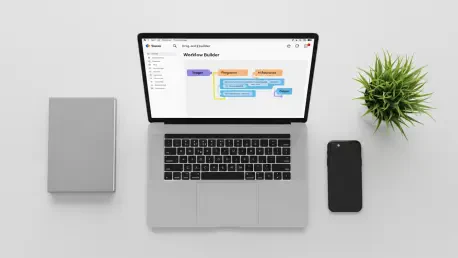
Setting up these AI-enhanced processes involves a straightforward sequence of actions within the Workflow Builder library to ensure successful deployment and logic verification. To start, locate and pick the AI step from the menu, specifically inserting the generate response option into the logic flow. Next, draft your instructions using plain language to describe exactly what the AI must accomplish for that particular task. The third phase requires linking your data sources, where the step is connected to specific Slack channels, files, or variables to provide necessary context. Before launching, use the interactive testing mode to preview the output and verify the underlying logic of the response. Finally, activate the automated process to deploy the workflow, allowing it to run based on a chosen schedule or a specific event trigger. This structured implementation guide allows users to transform complex manual tasks into reliable automated sequences that operate continuously without further human intervention or constant manual oversight.
2. Strategic Functionality and Real-World Industry Applications
The functionality of these new steps extends into diverse areas of information management, specifically focusing on condensing long threads and translating technical content for international teams. In a globalized economy, the ability to convert messages into different languages automatically removes significant barriers to collaboration and ensures that every team member remains informed regardless of their primary tongue. Furthermore, these tools are capable of transforming unstructured data—such as informal chat messages—into standardized reports that are easier for leadership to digest and act upon. This transformation of information into a structured format is particularly useful for identifying key themes or recurring issues that might otherwise be lost in the noise of daily operations. By automating the extraction of progress reports or deal summaries, teams can ensure that high-level insights are delivered to the right people. This level of automated sophistication allows employees to focus on strategic decision-making rather than the tedious labor of sorting historical data.
Real-world applications of these automated steps demonstrated their impact on efficiency during tasks like the generation of status reports. For instance, workflows were set to trigger at specific times, such as Friday mornings, to extract progress, blockers, and next steps from project channels before delivering polished results to executive stakeholders. In customer service, these steps summarized ticket histories and suggested initial replies, which reduced the time required to address inquiries. Sales operations also utilized these features by compiling deal summaries from CRM data and team activity, ensuring that the pipeline remained visible without manual effort. Emergency response teams drafted immediate status updates whenever system alerts were triggered, providing clarity during critical moments. Ultimately, these advancements successfully reclaimed time for high-value tasks by automating routine data processing. Teams adopted these capabilities by starting in the Workflow Builder to transform their communication into a more efficient and data-driven ecosystem.