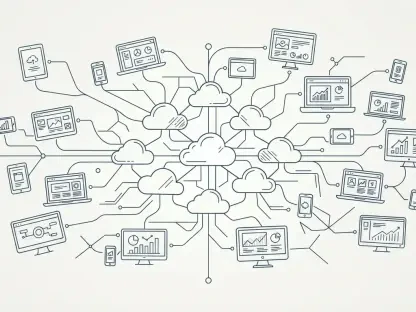

Establishing an exit node on a home network allows travelers to bypass geographic restrictions on banking and streaming services while maintaining a private cloud connection. This specific technical capability highlights a broader shift in how users approach their digital environments in 2026, where the boundary between enterprise-grade functionality and personal computing has largely dissolved. As software-as-a-service models continue to push subscription costs higher, a quiet revolution of high-quality, free-to-use tools is empowering users to reclaim control over their workflows. Technology analysts have identified a core set of applications that serve as the backbone for this modern, cost-effective digital lifestyle. While these tools are often associated with Windows power users, their increasingly cross-platform nature means that macOS and Linux users are equally capable of building a professional-grade toolkit without the burden of recurring fees. The current landscape favors interoperability and security, moving away from the closed ecosystems that once dominated the market. By carefully selecting applications that prioritize user agency and data privacy, professionals can construct a digital foundation that is both robust and flexible enough to adapt to the rapidly evolving technological demands of the current year.
Modernizing System and Security Management
Streamlining Software Maintenance: The Role of Package Managers
Transitioning from the manual management of software to a more automated approach is no longer a luxury but a necessity for security and efficiency. Historically, the process of hunting for executable files across various websites was fraught with the risk of downloading malicious code or outdated versions. In 2026, the emergence of graphical interfaces like UniGetUI has fundamentally altered this dynamic by acting as a sophisticated bridge to powerful package managers such as Microsoft’s WinGet. This tool provides a unified, “point-and-click” experience that allows users to search verified repositories for thousands of applications, ensuring that every piece of software is sourced from a trusted origin. This shift represents a move toward the repository-centric model familiar to Linux users, now fully realized for the broader desktop audience. By centralizing the discovery and installation process, users can bypass the noise of search engine advertisements and direct-download scams, maintaining a clean and secure system environment. The ability to manage software through a single pane of glass reduces the cognitive load of system maintenance, allowing professionals to focus on their actual work rather than the technical debt of their operating system.
Beyond the initial installation, the ongoing maintenance of software represents a significant time sink that often goes unaddressed until a security vulnerability is exploited. Modern utility interfaces address this by providing comprehensive update management for all installed applications, even those that were originally added through traditional manual methods. This capability is crucial in 2026, as the frequency of zero-day exploits demands that software remain at the latest version to protect sensitive user data. The expansion of these tools into supporting macOS and Linux package managers further solidifies their role as a universal utility for those who work across multiple platforms. Instead of checking each application individually, users can perform a system-wide scan and update with a single command, significantly hardening their defense against automated threats. This level of oversight provides a sense of reliability that was previously reserved for enterprise IT departments using expensive management suites. By leveraging these free, community-driven tools, individual users can achieve a level of system hygiene that rivals professional environments, ensuring that their hardware remains optimized and their software stack remains current without the need for manual intervention.
Protecting Identities: Zero-Knowledge Encryption and Privacy
The evolution of password management has reached a critical juncture where privacy-centric solutions are outperforming traditional industry leaders that have shifted their focus toward corporate monetization. Proton Pass has emerged as a frontrunner in this space, offering a robust free tier that prioritizes the security of the individual over the bottom line of a corporation. Developed by a Swiss nonprofit foundation dedicated to digital freedom, this tool employs zero-knowledge encryption, meaning that even the service provider cannot access the stored data. In 2026, this level of privacy is non-negotiable as data breaches continue to expose millions of user credentials across the web. Proton Pass allows for the unlimited storage of passwords, encrypted notes, and digital identities, providing a secure vault that is accessible across mobile devices and web extensions. This seamless integration ensures that high-level security does not come at the expense of convenience. By adopting such a tool, users can move away from the dangerous habit of reusing passwords or relying on weak, easily guessable combinations. The shift toward these dedicated privacy tools reflects a growing awareness that digital identity is one of the most valuable assets a person possesses in the modern age.
Modern authentication is rapidly moving beyond traditional passwords toward more secure methods like passkeys, which use cryptographic signatures to verify identity. Proton Pass has kept pace with this trend, integrating syncable passkey support into its free offering to provide a future-proof security solution. This technology eliminates the risk of phishing attacks, as there is no static password for a malicious actor to steal. Furthermore, the ability to generate unique email aliases for every service allows users to mask their true identity, preventing advertisers and data brokers from tracking their activity across the internet. This multi-layered approach to security provides a comprehensive defense that goes far beyond simple credential storage. In a landscape where digital surveillance is increasingly pervasive, the use of a privacy-focused manager is a proactive step toward maintaining personal autonomy. The tool’s cross-platform compatibility ensures that these security benefits follow the user from their desktop to their mobile device, creating a consistent and protected environment regardless of where they are working. As we navigate the complexities of 2026, the democratization of such advanced security tools ensures that even the most casual user can defend themselves against sophisticated cyber threats without the need for a premium subscription.
Optimizing Workflows and Web Browsing
Transitioning to Structured Text: Research and Knowledge Management
The long-standing dominance of feature-bloated word processors like Microsoft Word is being challenged by a new generation of lightweight, structured editing environments. Obsidian has become a central tool for researchers and writers who require a high degree of organization without the overhead of proprietary file formats. By utilizing Markdown, a simple text-based markup language, Obsidian ensures that user data remains portable and accessible for decades to come. This focus on non-proprietary data is a significant shift in a world where many cloud-based services lock users into specific ecosystems. The application functions as a highly customizable “second brain,” allowing users to link notes together and visualize relationships between disparate pieces of information. In 2026, the sheer volume of digital information requires a more sophisticated method of management than traditional folder structures or linear documents. Obsidian’s ability to handle thousands of notes with instantaneous search and complex internal linking makes it an ideal choice for managing research projects, interview notes, and long-form writing. The flexibility of the Markdown format means that these files can be opened and edited in any text editor, providing a level of long-term stability that proprietary software simply cannot match.
One of the most powerful aspects of this modern writing workflow is the extensive community-driven plugin ecosystem that allows users to tailor the experience to their specific needs. From advanced task management and outliners to sophisticated data visualization tools, the functionality of the core application can be expanded in almost any direction. This modular approach allows users to build a workspace that is as simple or as complex as their project demands, avoiding the “clutter” of features they never use. While the base application is free, it provides a level of professional utility that rivals expensive specialized research software. For many professionals, this tool has entirely replaced digital notebooks like OneNote or Evernote, offering a faster and more private alternative for capturing ideas on the fly. The transition from heavy office suites to these lightweight, text-centric tools reflects a broader trend toward efficiency and minimalism in the digital workspace. By focusing on the content rather than the formatting, writers can maintain a higher level of focus and productivity. As digital environments become more crowded, the ability to strip away distractions and work within a clean, text-based interface becomes a competitive advantage for those who rely on their ability to process and synthesize complex information.
Refining the Browsing Experience: Efficiency and Privacy
While Google Chrome remains a widely used browser globally, Microsoft Edge has evolved into a superior choice for professionals who require a higher degree of privacy and organizational control. Since both browsers share the Chromium engine, Edge maintains full compatibility with all web standards and the massive library of Chrome extensions, but it distinguishes itself through features that other vendors have little incentive to implement. For instance, the native tracking prevention settings in Edge provide a much more aggressive defense against online surveillance and intrusive advertisements right out of the box. This built-in privacy protection is essential in 2026 for users who want to avoid the pervasive tracking that characterizes much of the modern web. Furthermore, the integration of tools designed specifically for productivity, such as vertical tabs, allows users to manage dozens of open pages without the tab-clutter that often plagues horizontal layouts. This simple design change makes it much easier to identify and switch between various research sources, significantly improving the speed at which a user can navigate complex information. The focus on user-centric utility over advertising-driven data collection makes this browser a more ethical and efficient choice for the modern digital workspace.
Beyond basic navigation, the introduction of specialized workspaces has transformed the browser into a powerful project management tool. This feature allows users to create independent browsing sessions for specific tasks, where each workspace remembers its own set of tabs, groups, and settings. This means a user can switch from a research project to a financial management session without losing their place or mixing up their resources. In 2026, where multitasking is the norm, the ability to compartmentalize different work contexts within a single application is invaluable for maintaining mental focus. These workspaces can even be shared with collaborators, enabling a shared browsing experience that is synchronized in real-time. This level of functionality moves the browser away from being a mere portal to the web and turns it into a collaborative environment that supports complex workflows. By leveraging these advanced features, professionals can streamline their daily routines and reduce the friction associated with switching between diverse responsibilities. The move toward specialized browser features indicates a maturation of the web as a platform, where the tools used to access information are as important as the information itself. Choosing a browser that prioritizes productivity and privacy allows users to regain control over their time and their data in an increasingly cluttered digital world.
Advanced Connectivity and Power User Utilities
Creating Secure Mesh Networks: Private Remote Access
The challenge of securely accessing home or office resources while traveling has been simplified by the advent of mesh VPN technology. Tailscale stands out in this category by allowing users to create a private network that connects all their devices regardless of their physical location. Unlike traditional VPNs that require complex server configurations and technical expertise, this utility leverages the WireGuard protocol to establish secure, peer-to-peer connections with minimal setup. In 2026, the ability to maintain a “home-away-from-home” connection is a critical component of a mobile professional’s toolkit. By designating a device at home—such as a small server or a media PC—as an exit node, travelers can route all their internet traffic through their home IP address. This maneuver is essential for accessing banking services that might trigger security alerts when accessed from foreign locations, or for bypassing regional content blocks on streaming platforms. The security provided by this encrypted tunnel ensures that even when using public Wi-Fi in an airport or café, the user’s data remains protected from interception. This approach democratizes enterprise-level networking, putting powerful connectivity tools in the hands of everyday users without the need for a dedicated IT staff.
Beyond just bypassing geographic restrictions, mesh networking enables a truly private cloud experience. Users can connect to local virtual machines, access files stored on a network-attached storage device, or even print documents to a home printer from the other side of the world. Tailscale’s generous free tier allows for the connection of multiple devices across several user accounts, making it a viable solution for families or small teams as well. This eliminates the need for expensive third-party VPN subscriptions that often throttle speeds or log user data. In 2026, where the cost of digital services continues to rise, finding such a high-value utility for free is a significant boon for productivity. The low latency and high reliability of these mesh connections make remote file access feel as though the storage is physically connected to the laptop. This seamless integration of remote and local resources allows for a more flexible working style, where the physical location of the professional no longer dictates their ability to perform high-level tasks. By building a personal network mesh, users can ensure that their digital assets are always within reach, protected by the highest standards of modern encryption. This shift toward user-managed, decentralized networking represents the future of secure communication in a hyper-connected world.
Tailoring the Desktop: Specialized Tools and Customization
For those who demand the utmost precision from their operating system, Microsoft PowerToys provides a comprehensive suite of utilities that fill the gaps in the standard Windows experience. Originally a set of small tools for older versions of the OS, it has been reimagined as a sophisticated open-source project that allows users to customize nearly every aspect of their desktop interaction. In 2026, this collection includes over thirty tools designed to streamline repetitive tasks and improve workflow efficiency. For example, the Keyboard Manager allows users to remap keys to fit their ergonomic preferences, such as repurposing the often-ignored Caps Lock key for a more useful function. Another highlight is the Awake utility, which prevents a computer from entering sleep mode during long background processes like large file transfers or system backups. These small adjustments may seem minor individually, but collectively they significantly reduce the friction of daily computer use. By allowing users to bend the operating system to their specific needs rather than the other way around, PowerToys empowers power users to work more intuitively. This level of customization is a hallmark of a mature digital workflow, where the tools are precisely calibrated to the user’s unique habits and requirements.
The suite also includes industrial-strength tools like PowerRename, which allows for the bulk renaming of thousands of files using advanced search-and-replace or regular expressions. This is a vital capability for photographers, developers, and office professionals who deal with large datasets that require consistent naming conventions. Additionally, the Advanced Paste tool provides granular control over how clipboard data is handled, allowing users to strip formatting or convert text on the fly. This prevents the common frustration of pasting text into a document only to have it ruin the existing layout. In 2026, these utilities are updated frequently by a dedicated community of developers, ensuring they remain compatible with the latest system updates and hardware. The open-source nature of the project means that users can trust the code and even contribute to its development if they possess the technical skill. By integrating these tools into their daily routine, professionals can automate the manual labor of digital life, freeing up mental energy for more creative and strategic tasks. PowerToys represents a commitment to the idea that an operating system should be a flexible platform that supports the diverse needs of its users, providing the building blocks for a truly personalized and efficient computing environment.
Technical Efficiency and Media Playback
Mastering System Scripts: Cross-Platform Performance
The landscape of system management has moved far beyond the limited capabilities of legacy command-line interfaces. PowerShell 7 has established itself as the modern standard for scripting and automation, offering a cross-platform environment that runs seamlessly on Windows, macOS, and Linux. This consistency is vital in 2026, as many professionals find themselves managing a heterogenous environment of local machines and cloud-based servers. Based on the .NET framework, PowerShell 7 is significantly more powerful than the older versions built into the Windows operating system, offering faster performance and a wealth of new features for data manipulation. It excels at extracting information from logs, processing database files, and automating complex file conversions with minimal code. For the modern technical professional, mastering this tool is a fundamental requirement for maintaining high levels of efficiency. The ability to write a single script that functions across different operating systems reduces the time spent on environment-specific troubleshooting and allows for more standardized workflows. This shift toward a unified, high-level scripting language reflects the broader trend of platform agnosticism in the professional world, where the focus is on the logic of the task rather than the quirks of the underlying OS.
Accessing remote systems has also undergone a major transformation with the introduction of the modern Windows App, which replaces the aging Remote Desktop Connection client. Despite its generic name, this application provides a sophisticated, tile-based interface that makes managing multiple remote connections effortless. In 2026, the speed and responsiveness of remote sessions have improved to the point where working on a remote machine feels virtually indistinguishable from using a local one. The app integrates deeply with modern hardware, supporting WebAuthn for the use of security keys and Windows Hello for biometric authentication within the remote environment. This ensures that the high security standards of the local machine are extended to the remote session, protecting sensitive data across the connection. The low-latency performance is particularly impressive, allowing for a smooth experience even when performing graphically intensive tasks or video conferencing from a remote desktop. For professionals who rely on powerful remote workstations or who need to provide technical support to others, this tool is an essential part of their digital infrastructure. By providing a secure, fast, and organized way to access remote resources, the Windows App enables a level of flexibility that is crucial for the modern, distributed workforce, ensuring that high-level computing power is available from any location.
Ensuring Reliable Playback: Open-Source Versatility
In the realm of media playback, the need for a versatile and reliable player remains constant regardless of how much other technologies evolve. VLC Media Player continues to be the definitive solution for audio and video playback, largely due to its open-source philosophy and its refusal to be tethered to proprietary codecs. Unlike many standard players that require the installation of suspicious third-party codec packs to handle obscure file formats, VLC comes with everything it needs built-in. In 2026, as new video formats and compression standards continue to emerge, the speed at which the VLC community updates the player ensures that it can handle almost any file a user encounters. For professionals who work with media or who simply need a reliable way to view diverse content, this reliability is invaluable. The analysis of its usage suggests that Windows users should opt for the full desktop package rather than the limited versions found in app stores, as the classic version provides the most robust feature set and control. This enduring utility proves that well-designed open-source software can remain the industry standard for decades by focusing on core functionality and user needs rather than monetization or flashy interfaces.
The efficiency of VLC extends to its installation and management as well, particularly when paired with modern package managers. Using a simple command like “winget install videolan.vlc” allows for a clean and fast setup that bypasses the need for manual downloads. Once installed, the player offers a depth of features that many users never explore, such as the ability to stream network content, convert file formats, and even record the desktop screen. This versatility makes it more than just a player; it is a multi-purpose media tool that can solve a variety of technical challenges on the fly. In 2026, where digital workflows often involve a mix of local and cloud-based media, having a player that can handle network streams with the same ease as local files is a major productivity boost. The lack of advertisements and the commitment to user privacy further distinguish it from the crowded field of media applications. By relying on a tool that is community-driven and transparent, users avoid the bloatware and tracking that often accompany free proprietary players. This commitment to a clean, high-performance experience ensures that VLC remains a staple of every professional’s toolkit, providing a dependable anchor in an ever-changing digital landscape.
Building a Resilient Digital Foundation
The integration of these nine applications into a daily routine offered a clear pathway toward a more efficient and secure digital life. By moving away from expensive subscription models and embracing high-quality, open-source alternatives, users were able to build a professional-grade environment that was both flexible and cost-effective. The transition to tools like Obsidian for writing and Tailscale for networking demonstrated a preference for modular, user-managed systems that prioritized data ownership and privacy. Furthermore, the adoption of centralized software management through UniGetUI and modern scripting via PowerShell 7 ensured that system maintenance became a streamlined process rather than a tedious chore. This collection of software served as a reminder that the most effective tools were often those developed with a focus on transparency, community support, and core functionality. Ultimately, these recommendations provided a strategic blueprint for navigating the complexities of the software economy, allowing professionals to maintain peak performance without compromising on security or financial independence. The success of this approach resided in the proactive choice to utilize software that respected the user’s agency, creating a resilient foundation for all future digital endeavors.